

It’s Saturday, a little after eleven, and your phone rings with a number you don’t know. It’s one of your members, calling from a friend’s phone outside a pub: their own phone is gone, left on a bus or taken from a jacket. They’re worried about their bank first, and that’s right. But the club chat is still open on that phone, and you’re the one who can close it. What you do in the next hour matters more than what you do next week.
The first hour: remove the number
Whoever holds that phone now can read the chat and post in it under your member’s name. A lock screen helps, but you can’t know whether it was on, and notifications often show messages without unlocking anything. So our rule is simple: remove the number from the group tonight, as admin, before you do anything else.
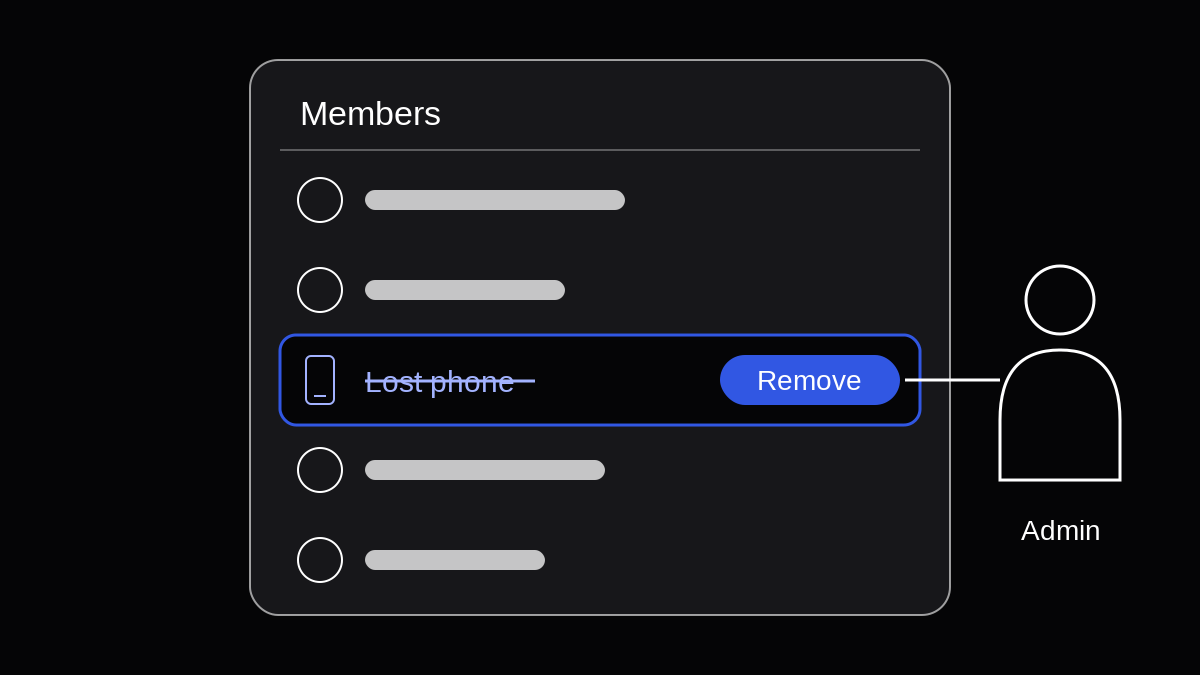
It feels harsh. It isn’t. Removing someone is a few taps and you can re-add them later, while leaving a lost phone in the room can’t be undone if a stranger starts writing. Tell the member on the call that you’re doing it and why, so they don’t hear about it from someone else. If the club has several chats (a committee chat, a chat for the Sunday team), remove the number from each one.
Tell the group, briefly
Then post one message in the group chat, while members are still awake to see it. Something like: “Anna’s phone was lost tonight. I’ve removed her old number. If anything arrives from it, ignore it and tell me.” That’s enough. No details about where it happened, no guesses about who took it, and don’t ask the group to call her, because she can’t answer.
We’d keep it this short on purpose. A long post invites thirty replies, and the warning gets buried under sympathy. If the member would rather not be named, say “a member’s phone” and leave it there. People will still know what to look for.
Watch for messages that are not theirs
A stolen phone is a well-worn route into a scam, because the thief inherits a name your members trust. The pattern is familiar: a message asking for money “just until tomorrow”, a request to forward a code that “came to your number by mistake”, a link to a form. If any of these arrive in private messages to members, they look like they come from a friend. The thief doesn’t need the group itself for that: the contact list on the phone is enough, which is why removing the number tonight is only half the job.
So for the next week or two, keep an eye out. Ask members to forward anything odd to you rather than reply. And remind them once that nobody in the club will ever ask for a verification code. That one sentence stops more trouble than any setting we know of.
Bringing the member back
Once the member is sorted, they’ll come back in one of two ways. Either they get a replacement SIM on the same number, or they start again with a new number. In both cases, check it’s really them by another route before you re-add anyone: a call you make to them, a word at the next meeting, or a question only they’d answer.
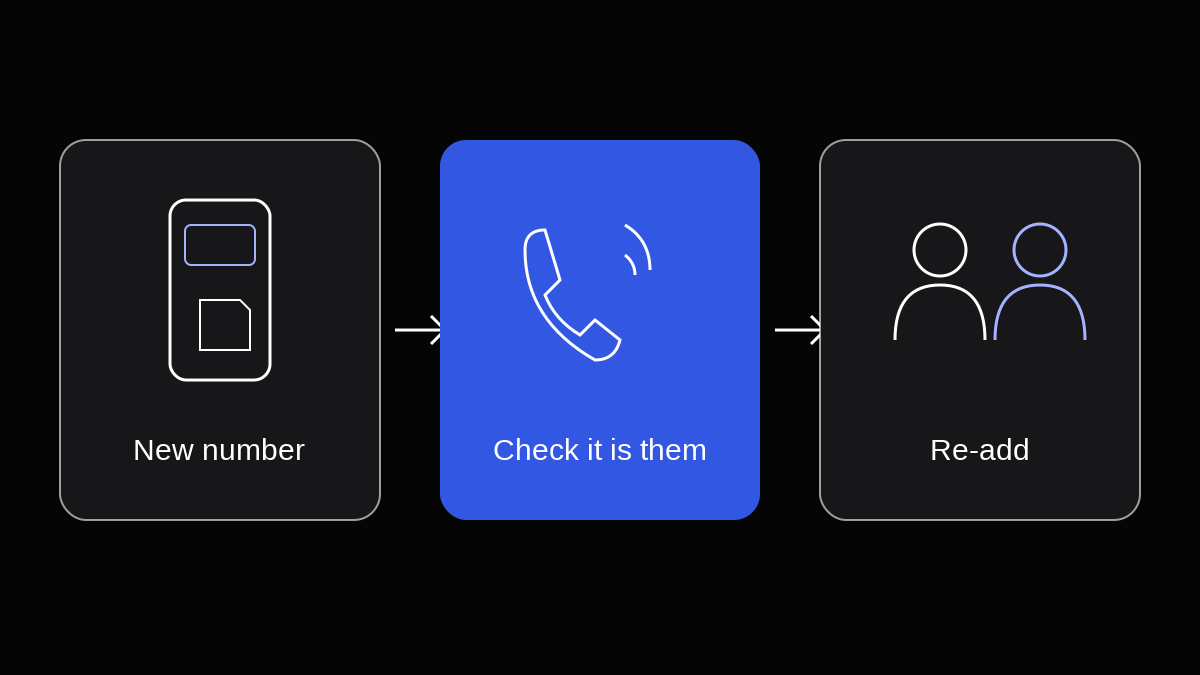
Why the fuss? Because a SIM can sometimes be moved to a new card by someone who isn’t the owner, and a message saying “it’s me, new number” costs a scammer nothing. Once you’re sure, re-add them and post a line so members know the new number is genuine. If they’ve changed numbers, ask them to update the club’s membership list too, or the old one will turn up again in a year when someone copies it into a new chat.
If it was the organiser’s phone
Now picture the same Saturday, but it’s your phone that’s gone. If you’re the only admin, nobody can remove your number, warn the group or take a stranger out of the chat. This is the night a second admin earns their place. And it’s a bad night to discover that the only other admin is a member who moved abroad two years ago and never opens the app.
Agree now who takes over when you can’t be reached, and make sure that person already has admin rights, not a promise of them. If you’re stepping back for longer, the steps for handing the chat to another organiser are the same ones you’d want written down for a night like this.
FAQ
Can the member get the old messages back?
Sometimes. It depends on whether the app was backing up the chat and where it stored the backup, so the member should check the app’s current settings on the new phone. Without a backup, the old history on a lost phone is usually gone for good.
Should the whole group change anything?
Usually not. One lost phone doesn’t mean every member needs a new setting. It’s a good moment, though, to look at who still holds admin rights and whether any of them left the club years ago.
Rooms that do not hang on a phone number
Most of the trouble above comes from one fact: in a typical group chat, the phone number is the member’s identity. That’s the part we’re changing with WLP Chat. A member joins a room through an invite link that shows the room’s purpose, rules and retention before they join, uses a separate name in each room, and never shares a phone number with other members. The organiser sees an invitation chain and can revoke an invite. End-to-end encrypted. Independent security audit planned. If you organise a group of 50 to 500 adults, get started.