
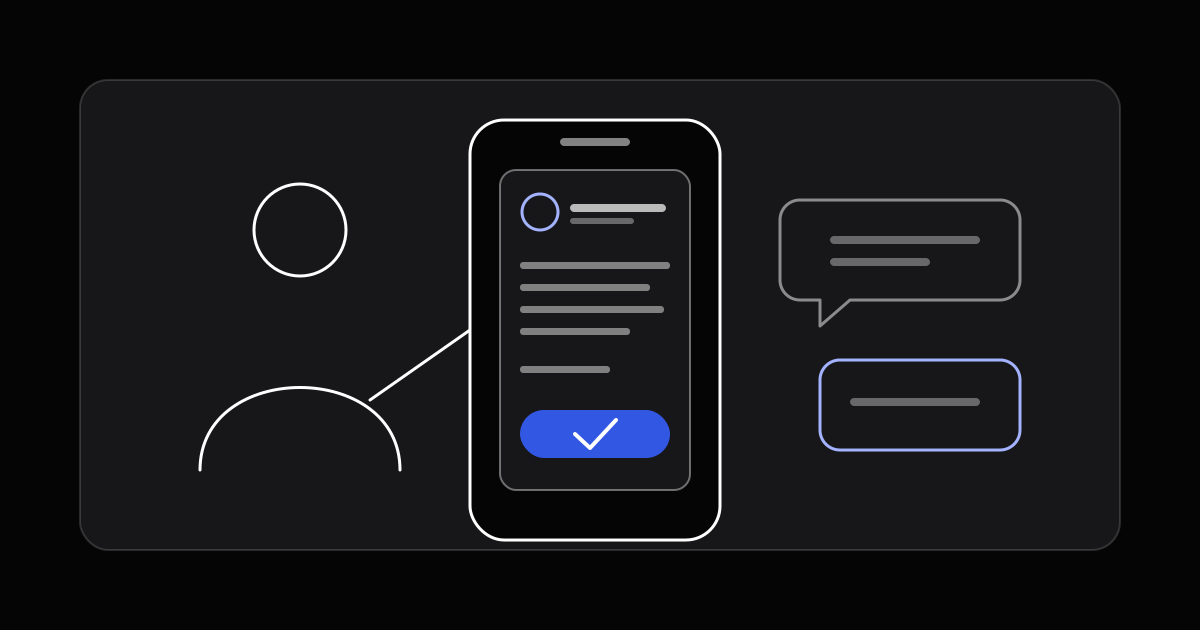
An invite link is the only way into a WLP Chat room. Before you join, it shows you the room’s purpose, its rules and how long messages are kept. That’s the whole idea: you read the deal first and only then decide. If you’ve ever been added to a WhatsApp group of 300 people you’d never met, with your number on show to all of them, you’ll see why we started there.
What the organiser writes into it
The organiser starts with the purpose, in a sentence. “Parents and coaches of the Saturday football club” is enough, and it tells a newcomer whether they’re in the right place before they’ve read a single message.
Then come the rules, with a version number. Five or six plain lines usually do the job better than two pages nobody finishes. When the committee changes rule four, the version moves on, so everybody can tell which rules they actually agreed to. After that the organiser sets retention: how long messages stay in the room before they go. A parents’ group that swaps lift-share plans may want a few weeks, while an alumni network keeping notices for the year will want longer.
Each invite link gets its own expiry and its own use limit. A link for one new treasurer can run out after a single use, while a link for the AGM newcomers might stay open a little longer. We put the writing at about ten minutes, and we think that’s fair if your rules already exist somewhere in a pinned message.
What you see before you join
You open the link and you don’t land in a chat. You land on the room’s invite page. It tells you who invited you, what the room is for and what its rules say, plus when the invitation expires, how many uses it has left and how long messages are kept.
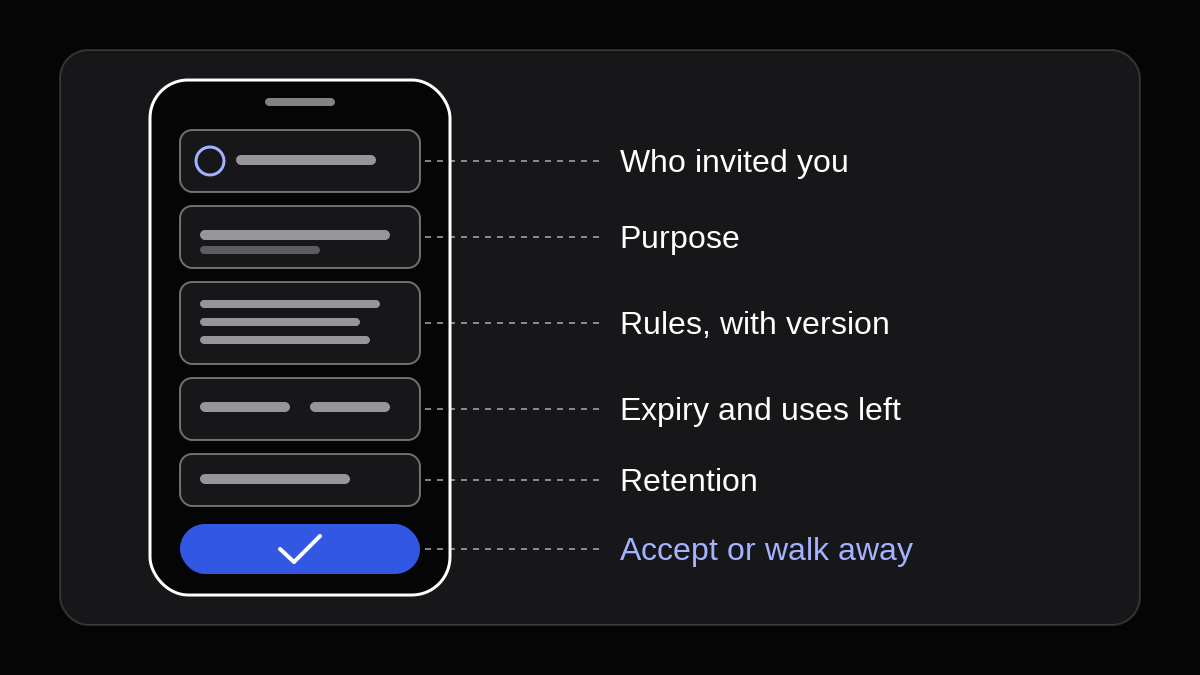
Then you choose. Accept the rules and you’re in, or close the page and walk away.
This is the step most group chats skip. On WhatsApp or Telegram you’re usually in the group first and reading the pinned rules second, if anyone pinned them at all.
There’s no directory of rooms and no search box. So an invite link from someone already inside is the only way in. We built it like that on purpose: a club of 200 adults shouldn’t be findable by a stranger typing its name.
Your room identity
When you join, you pick a name and a two-letter mark for that room only. That pair is your room identity. Other members see that name and what you post. They never see your phone number or your email, because the app never asks you for either one.
Join a second room and you start again with a new name, if you like. The app doesn’t show one room’s name in another.
But people aren’t machines. If you’re “Olena K.” in the choir and “Olena K.” in the alumni room, someone in both will spot it. The app warns you when you reuse a name, and we’d rather you hear it from us than find out later.
Expiry, revoking and the invitation chain
Links run out in one of two ways: a date passes, or the uses are spent. Whichever comes first closes the link.
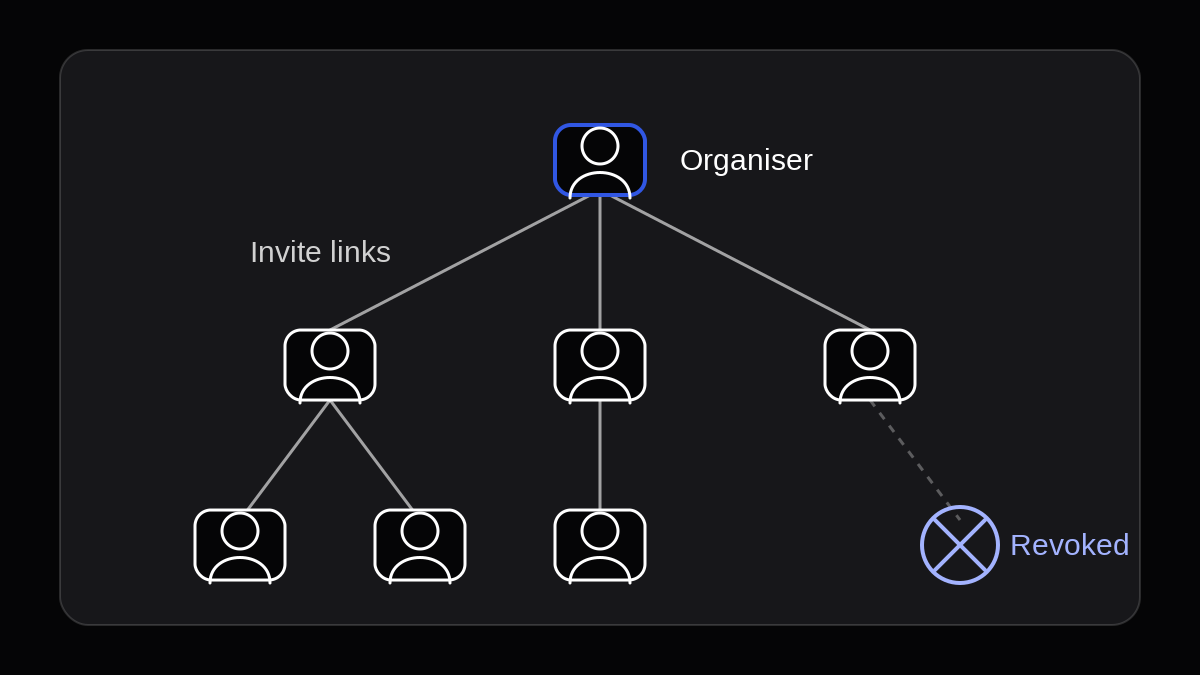
Say an invite link meant for one person gets forwarded to a WhatsApp group of forty. The organiser revokes it in a tap, and nobody else gets in on it.
Every join traces back to a link, and every link to the member who shared it. Each invite link carries that trail with it. That’s the invitation chain, and the organiser can check it any time. When a newcomer causes trouble, you can see who invited them and have a quiet word, instead of guessing. And when someone left the club three years ago, the chain shows how they got in, so you can sort out their access without an awkward hunt through old phone numbers.
What you get
WLP Chat is live and works in the browser. You can add it to your phone’s home screen and open it like any other app. Android and iPhone apps aren’t out yet.
Each room has announcements and a discussion. Members can send voice notes and files up to 10 MB, and the room can hold voice and video calls. Anyone can report a message or block a member, and every member must be 18 or over.
Messages are end-to-end encrypted. An independent security audit is planned, and it hasn’t happened yet. There’s more on privacy and security in our FAQ.
There are no direct messages between members and no public channels. You also won’t find contact upload or a crypto wallet. If your organisation wants its own app, with its own name and logo, it can have one running on WLP Chat.
FAQ
Can I find a room without an invite link?
No. There’s no directory and no search. You need an invite link from someone who’s already in the room.
What if my invite link has expired or been revoked?
Ask the person who invited you for a new one. A fresh link takes them seconds, and it’ll come with the room’s current rules.
Does the organiser see my phone number?
No, because the app never asks for it. The organiser sees who invited you and your activity in that room, not your other rooms. There’s more in the full FAQ.
How to get started with your group
If your association, club or alumni network has 50 to 500 adult members, tell us a little about it and we reply within two working days.
Then we set up your first room with you: the purpose, the rules and the retention. Most organisers we speak to already know what their rules should say; they’ve just never had a place where people read them first.
If you run a group of 50 to 500 adults, tell us about your organisation and we’ll be in touch within two working days.