
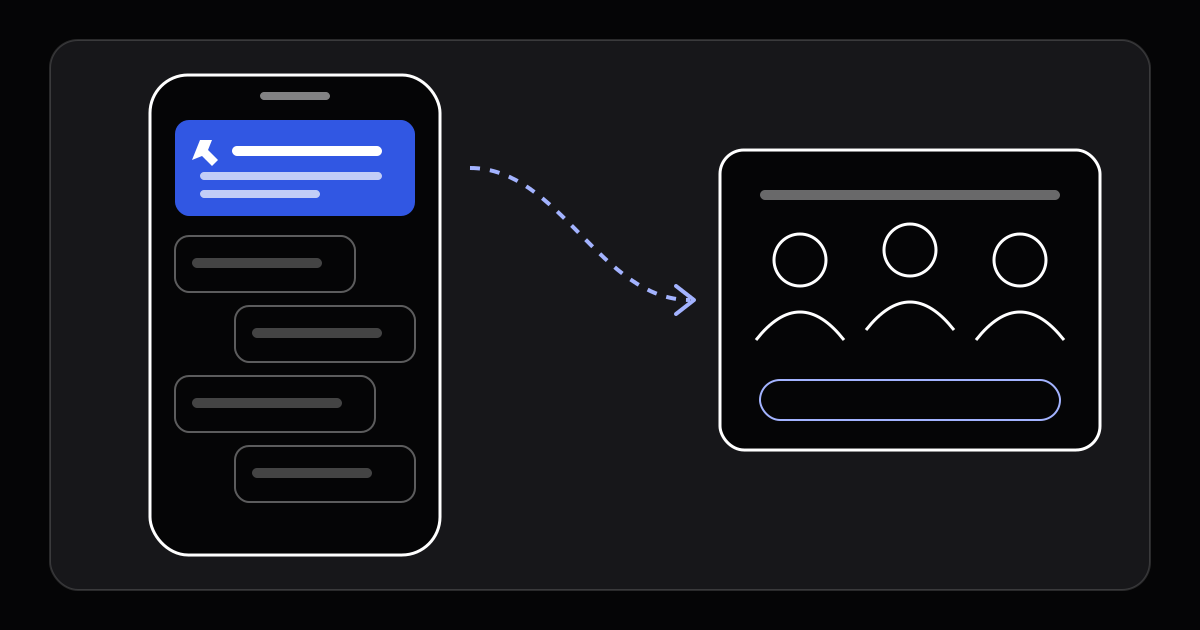
The committee has talked it through and agreed. The group is moving. Now three hundred people have to read about it once and then do one small thing before a date. That’s the hard part of any group chat move, and it comes down to the words you post and when you post them. We help organisers plan this when they move to WLP Chat, and the habits below work whichever app you’re heading to.
“This chat is moving to a new group” isn’t a message WhatsApp sends; it’s what an admin writes when a group moves. Below are four messages you can copy and adapt, then the dates and habits that make members actually follow them.
Messages to copy
The announcement (pin it in the old group):
This chat is moving to a new group on [date]. Join here: [link]. From [end date] this group becomes read-only, so news will only be posted in the new one. Questions? Reply here or ask anyone on the committee.
The first reminder (halfway through):
Reminder: we’ve moved to the new group, and news is only posted there now. Join here: [link]. This group goes read-only on [end date].
The last call (two days before):
Last call: this group goes read-only on [end date]. If you haven’t joined the new group yet, here’s the link: [link].
The read-only notice (pin it on the end date):
This chat has moved to a new group. Join here: [link], or ask [name] for an invite. This group stays read-only until [delete date], then it closes.
Sign them from the committee, and use the same link and the same dates every time.
Moving to a new WhatsApp group
If the new home is another WhatsApp group, WhatsApp has a shortcut. Open the old group, tap its name, then Create Similar Group. It starts a separate group with the same members, and you can untick anyone who shouldn’t come along before you tap Create group. The old group doesn’t close by itself.
To close it, tap the old group’s name, then Group permissions, and switch Send new messages off for members. Only admins can post after that, so the group becomes read-only. If you’d rather members join the new group themselves, share its invite link in the announcement instead of adding everyone.
Decide the dates before you write a word
Before you announce the move, the committee needs three dates on paper. Pick the day the new room opens and the day the old group goes read-only. The stretch in between is the overlap, when both run side by side, usually for two to four weeks. Write the third date down too: the day you’ll delete the old group for good.
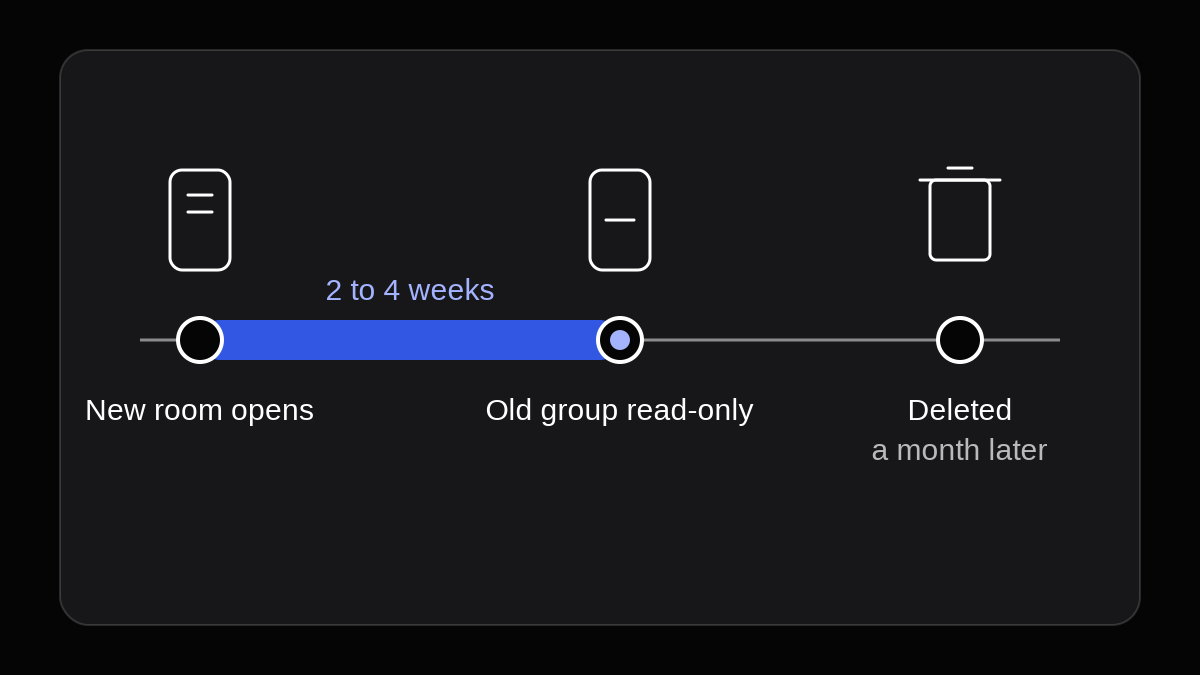
Of the three, the end date matters most. Without it, members sense there’s no hurry, and they’re right. So we’d rather see a short overlap with a firm end than a long one that drifts into the new year. Put the dates in the committee minutes as well, so nobody stretches them when the first few people complain. If you want the wider plan laid out, our six-step guide to moving a group chat starts with writing the rules down and ends with closing the old group.
The pinned message
Once the dates are fixed, write one pinned message and keep it at the top of the old group. It answers three questions: why you’re moving, how to join, and when the old group stops. Nothing else. Members read it on a bus or in a queue at the post office, so it has to make sense in about twenty seconds.
This is the kind of message we’d post:
We’re moving our chat to a new room on 1 November, so members no longer see each other’s phone numbers. Open this link to join. From 15 November this group becomes read-only. Questions? Reply here or ask anyone on the committee.
Sign it from the committee, not from one organiser. Members are far less likely to argue with a decision the whole committee made than with one person’s idea.
What to leave out
Don’t explain the new app at length. People learn it by opening it, and a long message gets skipped by exactly the members you most need to reach. And don’t blame the old tool. Plenty of members like it, it carried the group for years, and a dig at it starts an argument in the comments.
Reminders without nagging
Two reminders are usually enough. Post one halfway through the overlap, with the same link and the same end date. Post another two days before the old group goes read-only. Keep both shorter than the first message; a line and the link will do.
The stronger push isn’t a reminder at all. From the day you announce the move, post news only in the new room. Meeting times go there, and so do the photos from Saturday’s event. Members who stayed behind notice they’re missing things, and they ask where everyone went. We’ve found that question brings people across faster than a third reminder would.
Members who miss it
Some people won’t see a pinned message, however well it’s written, and every group chat move leaves a few of them behind. Picture an older member who checks the phone once a week, or someone who muted the group years ago and forgot it exists. You’ll need other routes for them.
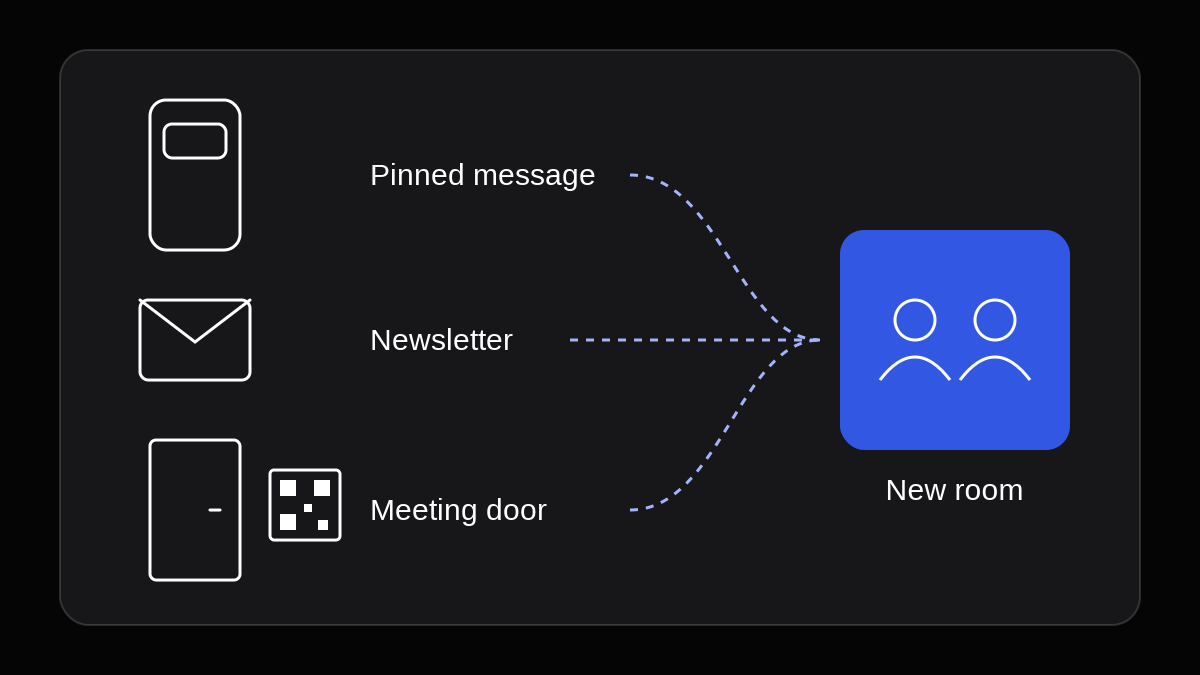
Print the invite link as a QR code for your next meeting, and ask one volunteer to stand at the door with a phone and ten spare minutes. Put the link in the newsletter too, next to the end date. If you can see who hasn’t joined, a short personal message from a friend in the group does more than another post that person will never open.
Closing the old group
On the end date, switch the old group to read-only, so only admins can post. In WhatsApp that’s Group permissions, then Send new messages off for members. Then pin one last note at the top: where the new room is and how to ask for a link. A member who wanders back a month later shouldn’t find a dead end.
Keep the read-only group for about a month, then delete it. By that point the people who were going to finish the group chat move have finished it.
FAQ
Should we ask members to vote first?
No, decide it in committee. Then explain the reasons in the message, so members see the choice was thought through rather than made on a whim.
What if half the group stays behind?
Keep the read-only pointer up and give it time. People move when the news is only in the new room, and most of them do it in the last week. A personal message to the few regulars you can’t lose helps too.
Can we use one invite link for everyone?
You can, but we wouldn’t. Make one link for the old group and a separate one for the newsletter, each with an expiry and a use limit. If one leaks, you know which, and you can revoke it without breaking the other.
Moving your group with WLP Chat
In WLP Chat, the invite link shows the room’s purpose and rules, so members read them before they join, not after. Invite links expire, show who invited whom, and can be revoked in a tap. Nobody shares a phone number with the room. We’ll say it plainly: messages are end-to-end encrypted, and an independent security audit is planned but not done yet. If you organise a group of 50 to 500 adults and want to announce the move with a room ready behind it, get started.