
Both work for a club. A choir, an alumni network or a diaspora association can run perfectly well on either, and plenty already do. The real differences sit in two places: how members appear to each other, and how a stranger gets into the group. We’d look at those two before anything else, because they’re what your members will notice in the first week, long before anyone compares sticker packs or themes.
How members appear to each other
On WhatsApp, a person has traditionally been their phone number. In a group, other members can usually see it, or see it once they tap a name, and that’s the part organisers of larger groups hear about: phone numbers visible to people you met once at an AGM. Newer versions have been adding ways to show less, so check the app’s current settings rather than trusting a forum post from three versions ago.
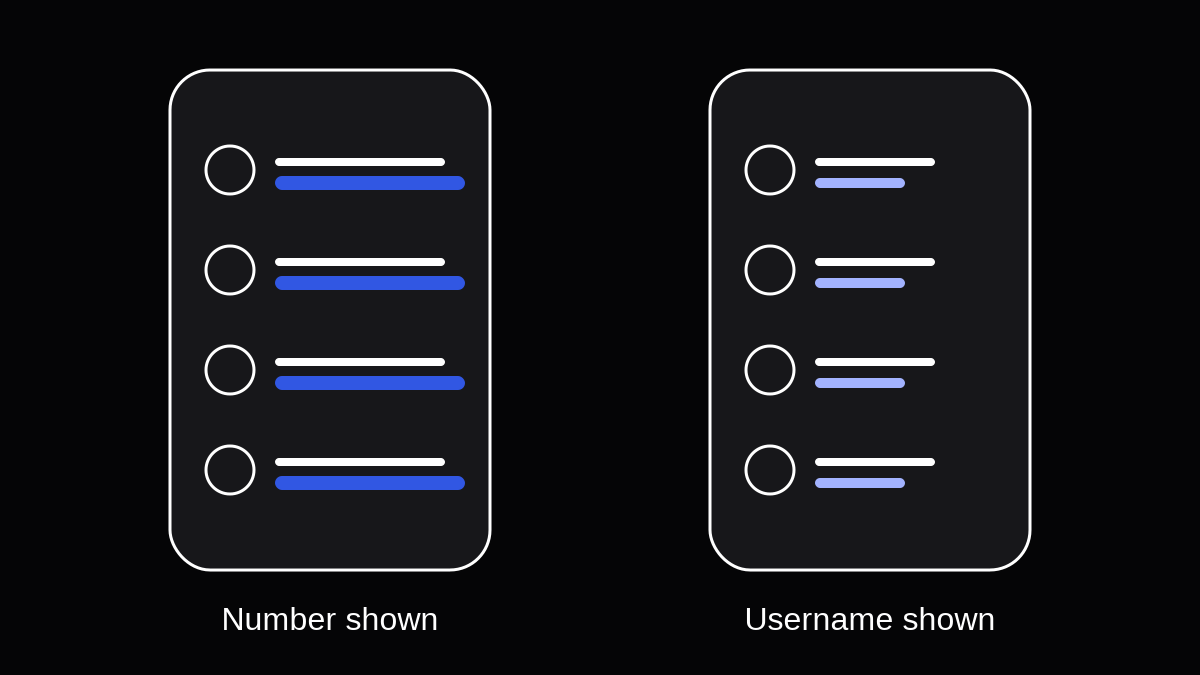
Telegram was built around usernames. A member can choose a privacy setting that hides their number from people who don’t already have it, and in a big group most people see only a display name and a handle. But the default isn’t the same as the setting each member actually picked. Some never open that menu.
So our honest answer is a small job for the organiser, not a verdict on the app. Whichever you pick, post a short note asking members to check the app’s current settings for who can see their number, and say why.
How people join
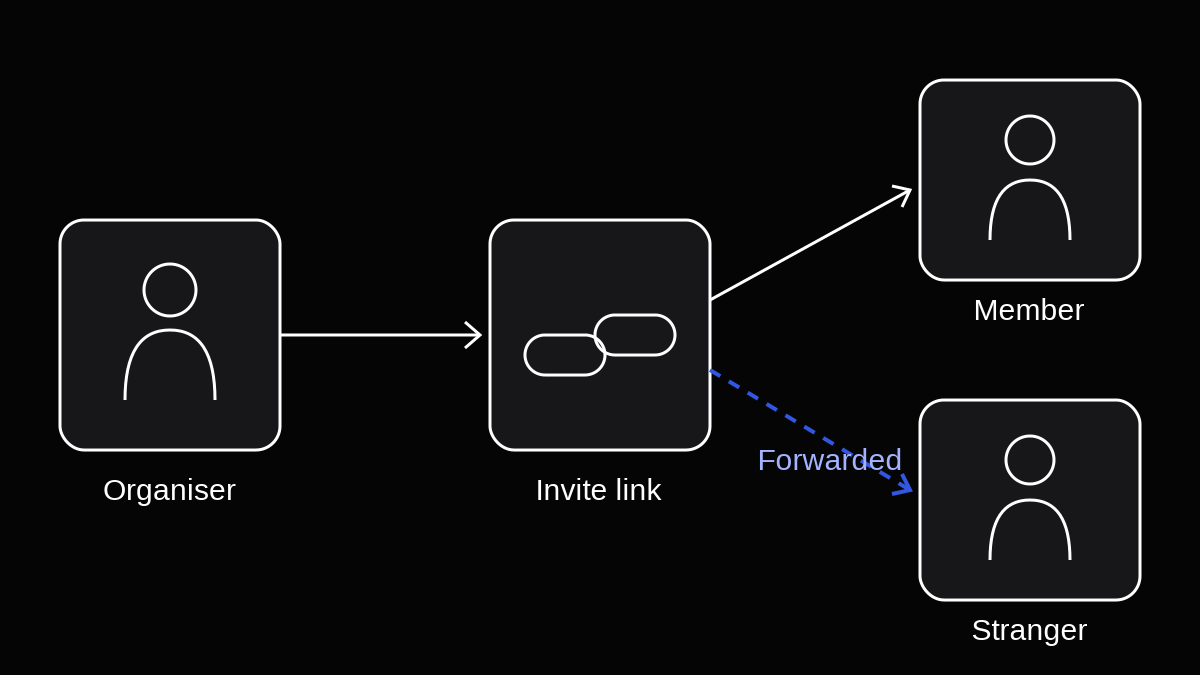
Both apps let an admin create an invite link. That’s the usual route for a club, and it’s also the leak: anyone holding the link can forward it, and a link pasted into a newsletter or a public post travels further than you meant. Both apps let you reset a link, and in many setups you can ask that new joiners are approved by an admin first.
Adding someone directly works differently. On WhatsApp you usually add people by number from your own contacts, which means the organiser ends up holding everyone’s phone numbers on a personal phone. Telegram also has public groups that anyone can find through search, which suits a hobby forum and rarely suits a membership club.
For a members-only club, we’d keep the group private, turn on approval if your app offers it, and treat the link like a door key. Reset it after it’s been shared somewhere wide.
What an admin controls
Both give you admins with extra powers. They can remove members, change the group’s name and description, and decide who may post or edit the group info. Telegram tends to offer finer-grained roles for each admin and tools aimed at large groups and channels. WhatsApp keeps it simpler, which is fine for a group of 80 and tighter once you’re at 400 and three people share the moderation.
Our rule of thumb: don’t pick on the feature list. Pick on whether two or three volunteers can share the work without one person deleting spam at 11pm on a Sunday. And don’t promise members limits you haven’t checked in the app this month, because both change.
Where the members already are
The app half the group already uses beats the better app. Picture a club where the older members live on WhatsApp and the students live on Telegram: whichever you choose, someone has to install something new, and some of them won’t. We’d expect to lose a few people in the move, and we’d plan for that from day one.
So ask before choosing Telegram or WhatsApp. A two-question poll in the current chat (which app do you have, and would you install another?) tells you more than any comparison table. If you do decide to switch, we’ve written up how to move your group chat in six steps, including the message that goes out first and the date the old group goes quiet.
What neither app tells you
Neither app was built to answer the questions an association gets asked. Who invited this person? A club group chat on either app keeps no record an organiser can audit, so a forwarded link leaves no trail. And did they read the rules before joining? A pinned message is easy to skip, and almost nobody scrolls back to a group description after they’ve joined.
We don’t count that as a fault in either app. They’re general messengers, and a club is a narrow case. But it’s worth knowing before you promise members a tidy, accountable group.
FAQ
Is one more private than the other?
It depends on the settings and on what members share. Check who can see each person’s number, who can add them to groups, and whether new joiners see old messages. Most leaks we hear about come from a forwarded link or a screenshot, not from the app itself.
Can we run both?
For a move, yes. A few weeks with both open gives stragglers time to arrive. For long, no: news ends up split, the same question gets asked twice, and someone always misses the venue change.
A third option for organisers
Whether you settle on Telegram or WhatsApp, the gaps above stay. That’s why we built WLP Chat as a private, organiser-led community room for adult groups of 50 to 500 people. The organiser writes the room’s purpose, rules and retention, the invite link shows them to members before they join, and each member uses a separate name in each room, so nobody’s phone number or email is shown. Invitations form a chain the organiser can check, and any link can be revoked. Messages are end-to-end encrypted, and an independent security audit is planned but not done yet. If you organise a club or association of 50 to 500 adults, tell us about your organisation.