
Most strangers arrive through a forwarded link, not a hacker. Someone shared it in good faith, it got passed on, and now a name you don’t recognise is sitting in the members list. It’s tempting to hit remove straight away. We’d take ten minutes first. A stranger in the group chat is a question to answer before it’s a door to close, and the answer tells you which door.
First, find out how they got in
Start with the person. Send them a short private message: “Hi, I run this group and don’t think we’ve met. Who invited you?” A member’s partner or a volunteer who signed up at the last event will usually answer within the day, often with a name you know.
Then ask your admins. In a club of a couple of hundred people, two or three admins between them tend to know most faces, and one of them may have added this person after a meeting and forgotten to say.
Check the app as well. Some apps show who added a member, or that they joined via link, in the small notice that appears in the chat history when they arrived. Scroll back to that moment. If it names one of your admins, you’re done in one message. If it says they used a link, read on, because that’s the more common case.
Most of the time it is a forwarded invite link
The usual story goes like this. A member posts the invite link in another group, say the parents’ chat at the Saturday school, so a friend can join. Someone there forwards it again to a cousin. Or a screenshot of the group’s info screen, QR code and all, ends up on a community Facebook page.
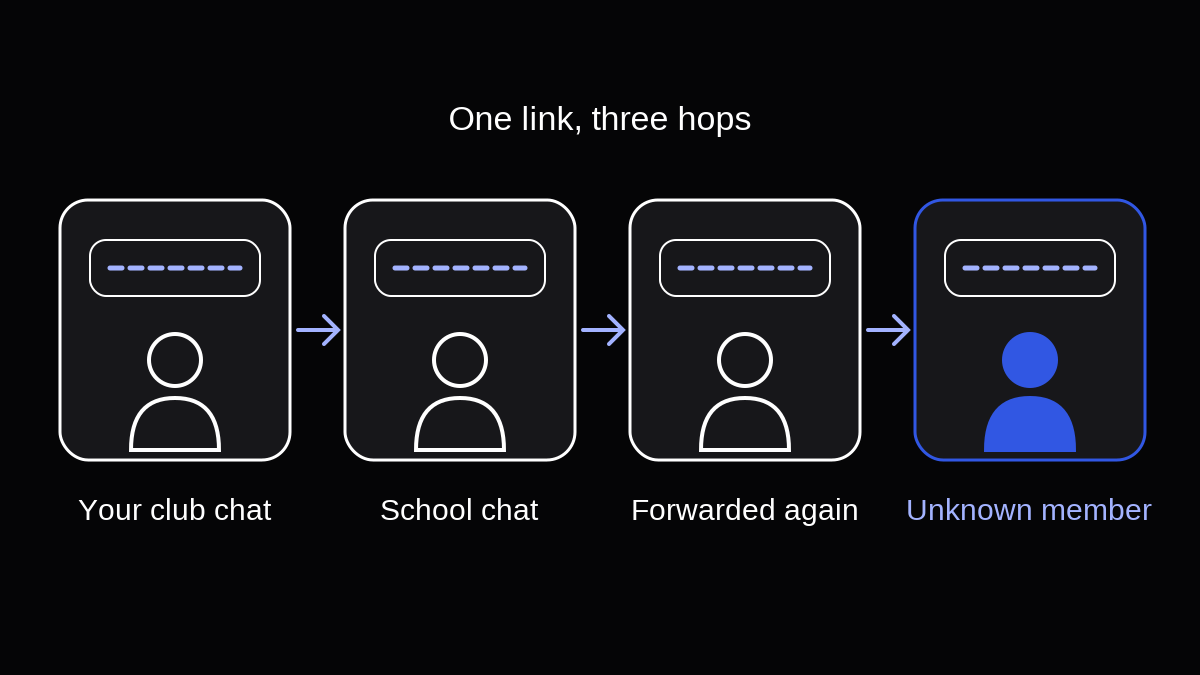
None of that is a breach. It’s how links behave: they don’t know who’s holding them. A link that was posted once a few years ago can still work today unless an admin has reset it since.
So the stranger in the group chat may be perfectly harmless, a bit confused about where they’ve landed. Or they may be the first of several. Spam accounts look for exactly these open links, and one that works tends to get passed around.
When to remove someone from a group
Some cases are clear. They’ve posted spam or links to sign-up pages. They haven’t replied to your message after a day or two. Nobody in the group vouches for them. Any one of those is enough for us, and you don’t owe a long explanation.
Other cases need a lighter hand. If a member says “that’s my brother, I asked him to join for the coach trip”, the guest is a guest, and your group’s rules decide whether guests stay. Be fair to that member. Thank them for owning up and explain the rule. Then agree on a next step together. A separate chat just for the trip often solves it.
When you do remove someone, don’t make a show of it. Take them out, then keep a note of the name and the date for the other admins. It saves an awkward conversation if they turn up again in six months under a different number.
Close the door behind them
Removing one person doesn’t help if the link that let them in is still out there. Reset the link, or revoke it and create a new one, so every old copy stops working. Then share the new invite link only by private message to people you’ve checked.
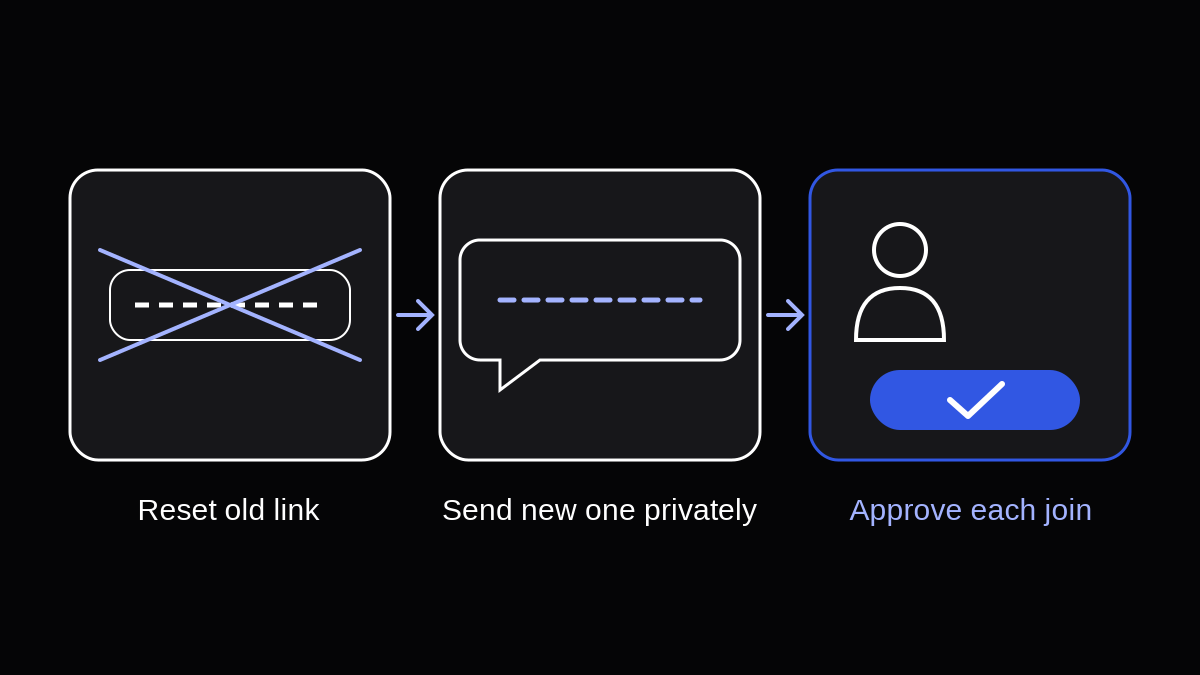
If your app lets admins approve each join request, turn approval on. It adds a step for every newcomer, and that’s the point. Check the app’s current settings, because these menus move between versions and we won’t guess at the exact path.
Then tell your admins what you changed. Otherwise someone reposts the old link from a pinned message next week and you’re back where you started.
What members’ phone numbers mean here
In a group that runs on phone numbers, a stranger in the group chat can usually see the numbers of the members, or at least of those who’ve posted. That’s how WhatsApp and similar apps work, and it isn’t something you did wrong. Members who joined years ago may never have thought about it, so this is a good moment to mention it once.
Tell members plainly and without alarm. Someone unknown was in the group for a few days and has been removed. The link has changed. If a number they don’t know messages them, they can ignore it.
FAQ
Should I tell the group?
Yes, in one short, calm message. Say what happened and what you’ve already done. Then tell members to ignore any odd message from an unknown number. Skip any guessing about who it was.
Can I find out who shared the link?
Usually not on WhatsApp or Telegram. A shared link carries no record of who passed it on, so the app can tell you someone joined via link but not whose copy they used. Asking the group is often the only way.
A room where every join has a name on it
This is the gap we built WLP Chat for. In a WLP Chat room every member comes in through an invitation chain, so each invite is tied to the person who made it and the organiser can check that chain. An invite link can be revoked in a tap. Members use a separate name in each room and never share a phone number. Messages are end-to-end encrypted, and an independent security audit is planned, not done yet.
You’ll find how rooms work on WLP Chat for organisers. If you organise a group of 50 to 500 adults, get started and we’ll reply within two working days.