
Create a WhatsApp username. Once you have one, people in your groups who haven’t saved your number see your @username instead of your number. It’s the only setting that does this: people who already saved your number still see it, and no admin can hide other members’ numbers.
How to hide your number in a WhatsApp group
On Android
- Tap ⋮ (More options), then Settings.
- Tap your profile at the top.
- Tap Create username, then Create username again.
- Type a name and tap Save, then Done.
On iPhone
- Tap You (on some versions, Settings), then your profile at the top.
- Tap Create username.
- Type a name and tap Save, then Done.
A username is 3 to 35 characters: lower-case letters, numbers, full stops and underscores, and not only numbers.
If you see Reserve username instead, usernames haven’t reached your account yet. WhatsApp is rolling them out gradually. Reserve the name now; until it goes live, your number stays visible in groups as before.
What group members see after you set a username
WhatsApp’s Help Center says anyone who hasn’t saved your number sees your username instead, in group chats, in private chats and on calls. Creating one also removes your number from existing chats with those people.
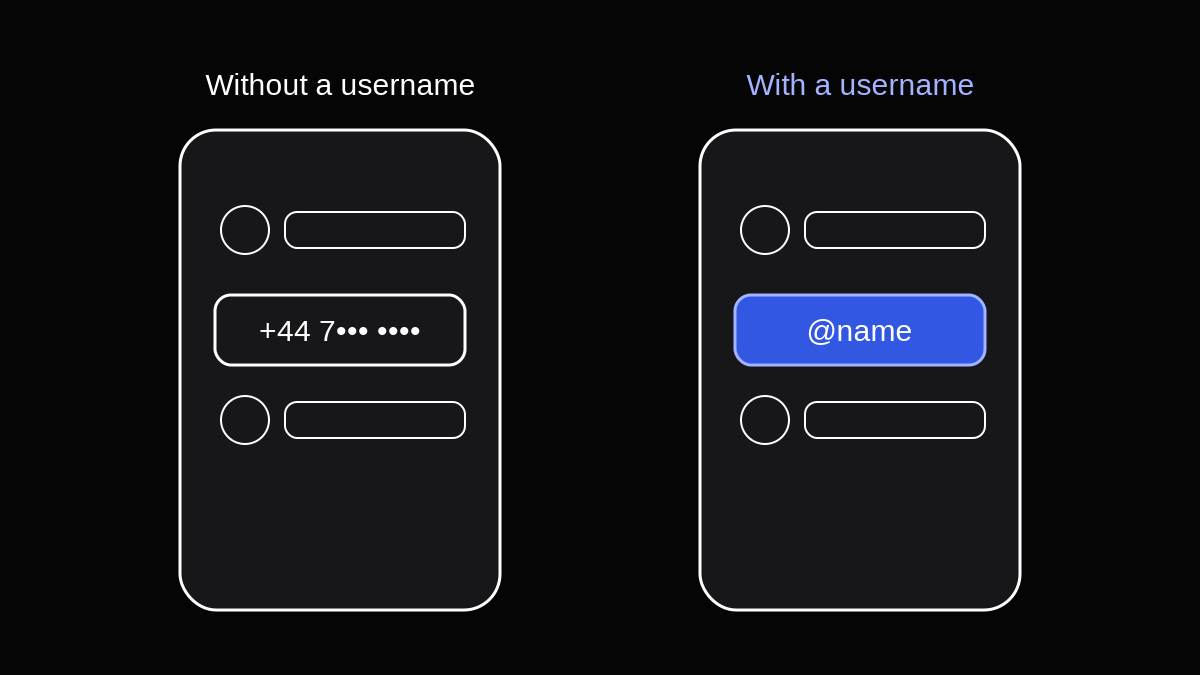
People who saved your number see what they saw before: the number and the name they saved it under. And someone you message for the first time may see which country your number is from.
What a username doesn’t hide
- The account still needs a phone number. The username sits on top of it.
- Group members can still message you privately. The username key, a code people need to message you for the first time, doesn’t apply to anyone who shares a group with you.
- The Past members list. When you leave a group, WhatsApp’s help page says members can see your name and number there for up to 60 days.
- Deleting it brings the number back. If you delete your username, people see your number again, and you have 14 days to reclaim the name before someone else can take it.
Can an admin hide members’ numbers in a WhatsApp group?
No. WhatsApp’s help page on group changes says you can’t hide group members’ phone numbers, and admins have no setting for it. Each member has to create their own username.
What an admin can do is limit who gets into the group, so fewer strangers see the numbers that are left. Open the group, tap its name, then Group permissions: turn on Approve new members, and let only admins add people and share the invite link. If the link has already travelled, reset it from the QR code icon next to the group’s link. The old link stops working.
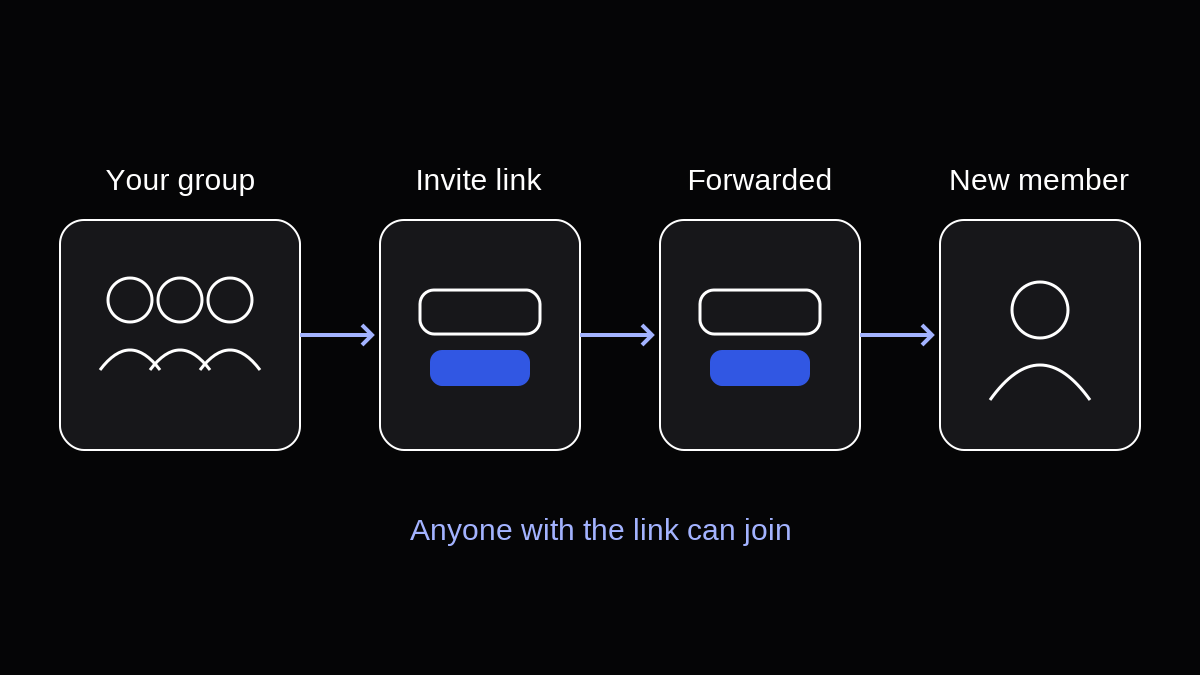
That second step matters more than it sounds. WhatsApp’s help pages say anyone with a group link can join and pass it on, so without approval the link’s travels decide who sees your number, not the admin.
Does a WhatsApp Community hide numbers?
Partly. WhatsApp says that in communities your number is visible only to community admins, people who saved it and people who have it from your other chats. In the announcement group, members see only the member count; admins see who the members are.
WhatsApp doesn’t say plainly whether the ordinary groups inside a community hide numbers too, so we wouldn’t count on it. For a club that mostly sends notices, a community announcement group is the tidier choice. We compare the two in WhatsApp Community vs group.
What an organiser can do this month
Four steps, none of which needs IT help:
- Ask members to create or reserve a username, and show them where: Settings, their profile, Create username.
- Move notices into a Community announcement group, where members see a member count and not a list of numbers.
- Turn on Approve new members, let only admins share the link, and reset it if it has been forwarded around.
- Add a rule that members’ numbers aren’t used for anything outside the group. Our WhatsApp group rules template has wording you can copy.
The last one sounds soft. We don’t think it is: a written rule gives you something to point at when a member’s number turns up in somebody’s sales pitch.
FAQ
Can I hide my number in a WhatsApp group without a username?
No. Apart from a username, WhatsApp has no setting that hides your number in a group.
Will members who saved my number see my username?
No. They keep seeing your number and the name they saved it under.
Can I hide other members’ numbers as the group admin?
No. Each member hides their own number with a username. An admin can only control who joins, with Approve new members and the invite link.
Can someone from the group message me privately?
Yes. Sharing a group is enough, and the username key doesn’t stop them. If that worries a member, you can block and report from the private chat; blocking doesn’t remove them from the group.
Does a username hide my number in a group call?
For people who haven’t saved your number, yes: WhatsApp says the username shows instead of the number on calls too.
How WLP Chat rooms handle numbers
We make WLP Chat because organisers kept describing this exact problem to us. The app never asks for a phone number or an email. Members join a room with an invite link, use a different name in each room, and the organiser sees who invited whom, never a number.
End-to-end encrypted. Independent security audit planned. We claim nothing more than that; our FAQ on privacy and security has the details, and WLP Chat vs WhatsApp sets the two side by side.
If you organise a group of 50 to 500 adults and want rooms where nobody’s number is on show, get started.