

The last committee meeting is nearly over. The accounts are settled, the hall is booked for a farewell evening, and the treasurer has a box of trophies nobody wants. Then someone asks the question that wasn’t on the agenda: what happens to the chat with 200 people in it?
Most clubs never answer it. We’d argue it deserves ten minutes of that final meeting, because a group chat doesn’t end when the club does, and nobody looks after it once the committee has gone home.
Why a dead chat is worse than a closed one
A chat nobody runs keeps working. Every member’s phone number stays visible to everyone else in it, including people who joined years ago and whom nobody remembers. The invite link still works, so a stranger can still walk in.
And spam finds abandoned groups. A few months after the club winds down, someone posts a “crypto opportunity” or a fake prize, and there’s no organiser left to remove it. Members who forgot they were ever in the group get the notification at 11pm and wonder who let this happen.
Closed is better than quiet. That’s why we tell organisers to close the group chat on purpose, on a date they choose, rather than let it fade.
Tell members before you close the group chat
Give people a date, not a surprise. One message is enough if it says three things: the club is ending, why in a sentence, and the day the chat closes. Two to four weeks’ notice works for most groups.
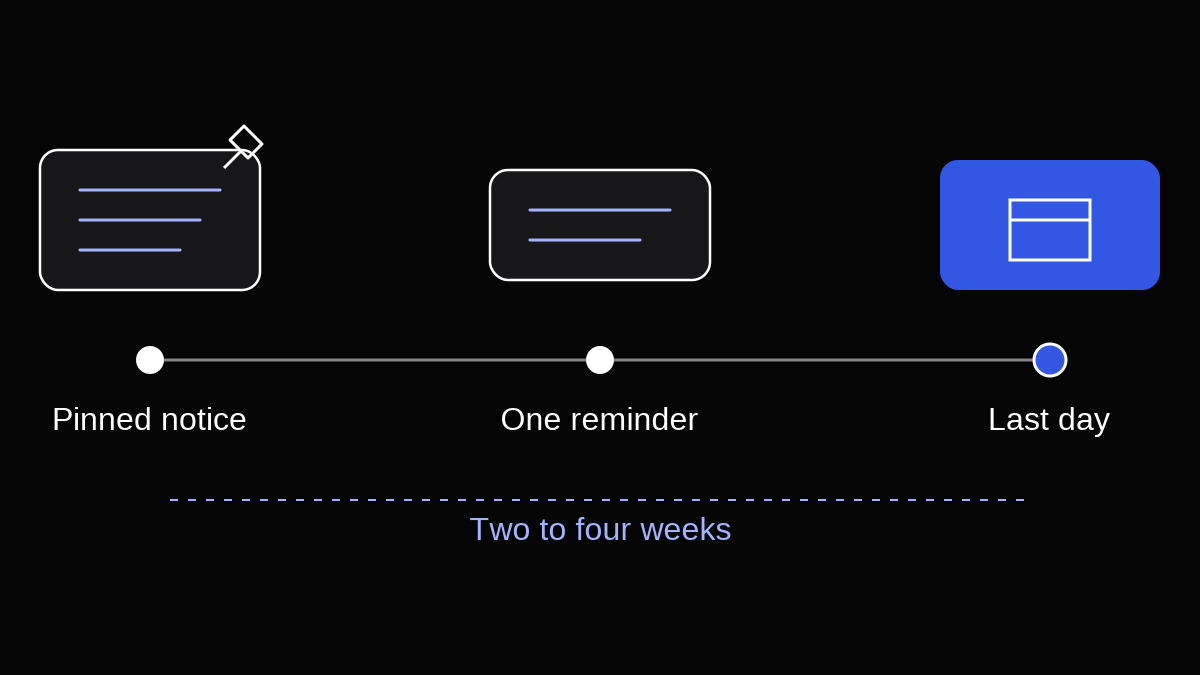
Pin that announcement so latecomers see it first. Then post one reminder a few days before the last day, and leave it there. We wouldn’t send more: people who care will act, and repeated notices start to feel like pressure.
It helps to say in the same message what members should do before the chat goes, such as saving the photos they want or swapping contact details with friends privately.
Decide what to keep from the group chat history
Years of messages feel precious, but most of it is “running late” and “see you Thursday”. What’s worth keeping is short. The minutes and any decisions about money come first. Then the photos from events, which are what members ask about later. Contact details belong on the list only if members agreed to share them with the club.
Check the app’s current export settings before you promise anyone a copy, since what can be exported (and whether it includes photos) varies and changes. Our rule of thumb is to keep less, not more. A deleted chat log rarely gets missed, but a forgotten spreadsheet of numbers is a worry for years. One person on the committee holds the archive, and you agree how long it stays before it’s deleted.
What not to keep
Screenshots of old arguments don’t belong in any archive. Neither does a spreadsheet of members’ phone numbers pulled from the group chat history without their consent. If a member never agreed to the club storing it, it goes.
Closing the chat step by step
Start with a final message on the closing day. Thank people, and tell them where the archive lives and who on the committee to ask about it. Then choose between two endings. You can remove members one by one, or switch the group to admin-only messages so it becomes read-only for a while before you leave it.
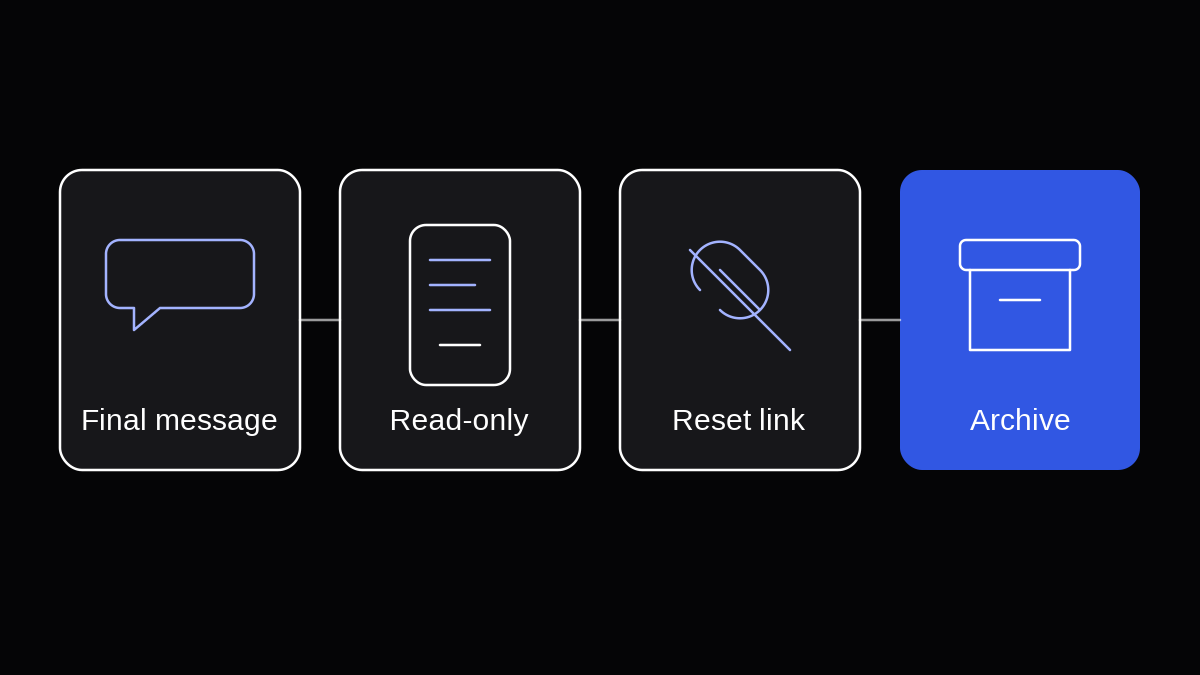
Revoke or reset the invite link either way, so nobody new can join a group with no organiser. After that, delete or archive the chat on your own phone. Menu names differ between WhatsApp and Telegram, say, and they move around between updates, so check the app’s current settings rather than trusting an old how-to.
If some members want to stay in touch
Some will. The walking group inside the club, or the twenty people who came every week, may want to keep talking. That’s a different group with a different purpose, and it should start fresh rather than inherit 200 people by default.
A small alumni room works best with its own rules and its own retention. Members join it by choice, because they want to be there. That’s the kind of room we’re building at WLP Chat: an organiser writes the purpose and rules, and members read them in the invite link before they join. You can see how it works on the page about WLP Chat for organisers.
FAQ
Should the organiser delete the chat or just leave it?
Close it properly. We’d always close the group chat rather than leave it, because a group left open keeps phone numbers on show and lets strangers in through an old link. If you’d rather not delete it, make it read-only and remove the invite link first.
What if a member wants a copy of the photos?
Point them to the archive, or tell them before the closing date so they can save their own. Photos of other members are worth sharing with care, as not everyone will want their picture kept by people they barely knew.
Do we have to tell members about GDPR when the club winds down?
You don’t need a legal notice, but the principle is plain: data you no longer need should go. Tell members what the committee is keeping and when it’ll be deleted. We’d also name the one person who holds it. For anything beyond that, ask someone qualified.
Starting something new
Closing a club is a lot of small goodbyes, and the chat is one of them. If you organise a group of 50 to 500 adults and want a room that starts with clear rules, get started and we’ll reply within two working days.