

Picture a committee of six that runs everything in Slack. Agendas sit in one channel, the treasurer’s questions in another, and nobody loses a decision. Then the chair invites the other 200 members, and a dozen sign up. The rest never install it. That gap is the real question behind Slack or WhatsApp, and we think it’s rarely about features. It’s about who has to change their habits, and whether they will.
What Slack does well
Slack is built for work, and it shows. Conversations live in channels named for a topic, so the AGM planning doesn’t drown in chatter about the summer picnic. Replies go into threads, which keeps a long debate about the membership fee out of everyone’s way until they want it. And search is good: you can find the venue contract someone posted months ago, or the exact wording the committee agreed for the newsletter.
People join a Slack workspace with an email address, not a phone number. For a committee that’s tidy. For members it’s one more account, one more password and one more app asking for notifications.
The free plan doesn’t keep everything forever. It shows only part of the older message history, and the limit has changed over the years, so check Slack’s current plans before you count on it. We’d tell any committee to find this out before the week they need an old decision, not during it.
What WhatsApp does well
Almost everyone in your association already has it. That’s the whole case, and it’s a strong one. A member who’s 72 and a member who’s 19 can both reply to a poll with one tap, from the same app they use for family.
There’s no account to create and no new app to learn. Notifications arrive where people already look. For a quick “the hall’s changed to Room 4 tonight”, nothing beats it, and we wouldn’t pretend otherwise.
The cost is that members appear by phone number. In a group of 300, that’s 300 numbers visible to people who met once at a fundraiser. Newer versions have added ways to show less, so check the app’s current settings and tell members what to look for. We’d put that note in the group description, where new joiners actually see it.
How members join and appear
In Slack, a member is an email address with a profile: a name, maybe a photo, maybe a job title they never filled in. An admin sends an invite, or shares a link, and the workspace owner decides who may invite others. Phone numbers stay out of it unless someone types theirs in.
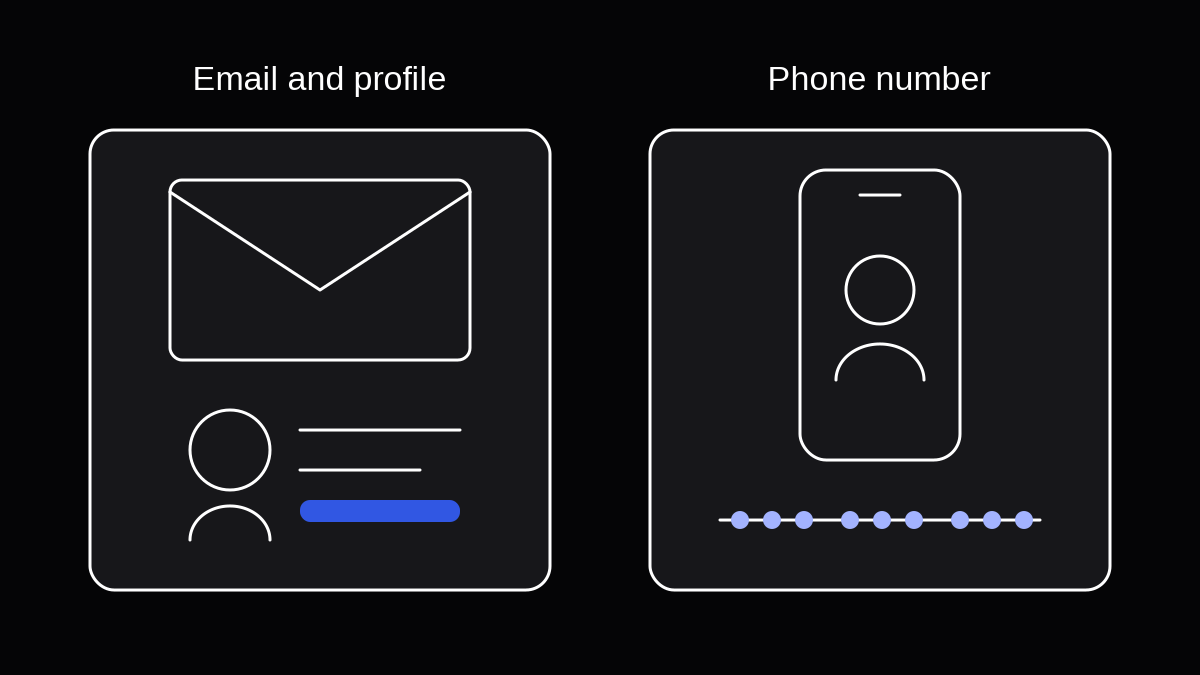
WhatsApp works the other way round. You’re your number. An admin adds people from their own contacts or shares an invite link, and that link can be forwarded far beyond the people you meant. Nobody keeps a record of who passed it on.
So our first question for an organiser is simple. Would your members rather hand over an email address and learn a new app, or keep the app they know and show their number? Ask them before you decide. A two-line poll in the current chat settles it faster than a committee meeting, and it means nobody can say they weren’t asked.
Message history and cost
Slack keeps message history according to the plan you’re on, and paid plans are priced per active user. For an association of 400 people that adds up fast, so most groups stay on the free plan and accept its limits. Look at Slack’s own pricing page for what applies today; we won’t quote figures that may be out of date by next month.
WhatsApp costs members nothing. History lives on each person’s phone and in their own backups, which means there isn’t one shared archive the committee controls. A member who changes phones may lose the lot. And when the group’s founder leaves, the record of who joined when goes with them.
Neither app was designed for an association’s records. Our advice: keep minutes and decisions in a shared document somewhere else, whichever you pick.
Running both
Plenty of groups end up here, and it’s a sensible place to be. The committee works in Slack, where threads and search suit the planning. Members get a WhatsApp group (or an announcement-only one) for news and reminders.
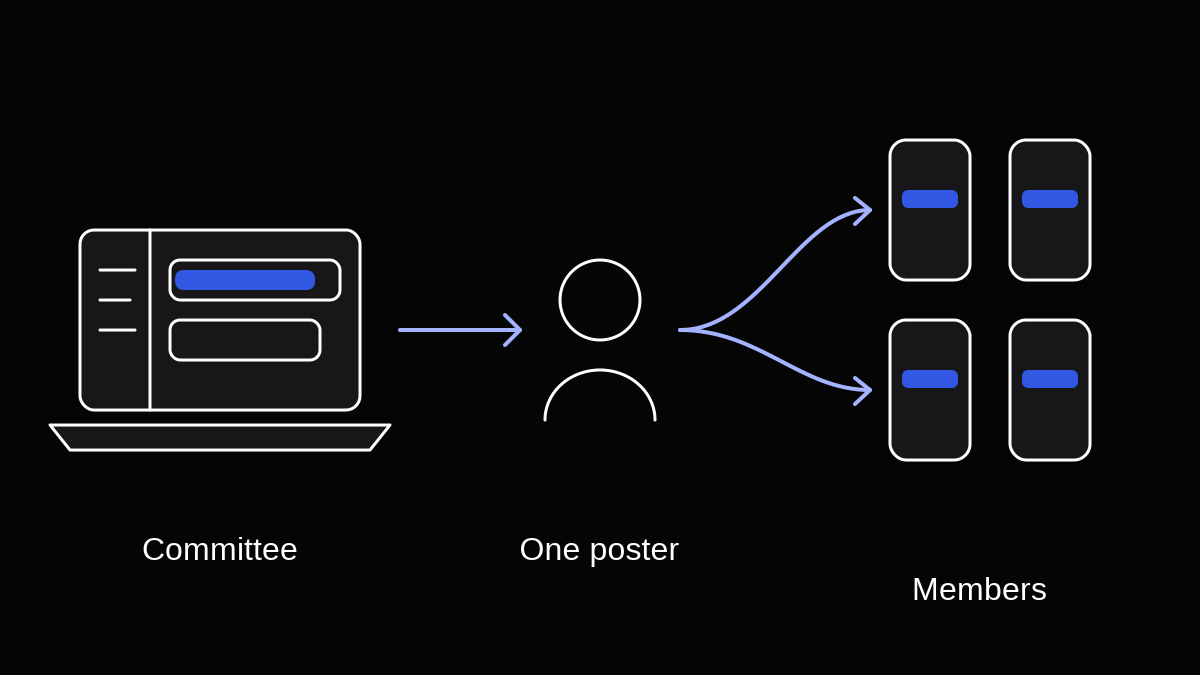
The trap is announcements going out in two places with two versions. Our rule: one place is the source. The committee agrees the wording in Slack, and one named person posts it to the members’ group. Members never have to wonder which message is current, and the committee doesn’t spend Sunday evening correcting a draft that escaped early.
A third option for adult associations
Some organisers want neither phone numbers on show nor a work tool. That’s who WLP Chat is for. In a WLP Chat room, a member reads the room’s purpose, rules and retention in the invite link before joining, and invite links expire. Members use a separate name in each room and never share a phone number or email address. You can see how this sits next to Slack in WLP Chat compared with Slack.
End-to-end encrypted. Independent security audit planned.
If you organise a group of 50 to 500 adults, get started and we’ll reply within two working days.